
Nissan Rogue Wireless Apple Carplay Guide
If you’re eyeing wireless Apple CarPlay for your next ride, you’re definitely not alone. It’s one of the most sought-after features in cars today.
Thinking about getting a Nissan Rogue? Then you’re probably wondering: does it offer wireless Apple CarPlay, which models have it, and how can you get it?
In this article, I’ll walk you through how to get this feature in a Nissan Rogue, and what to do if your Rogue didn’t come with it from the factory.
What is Apple Carplay
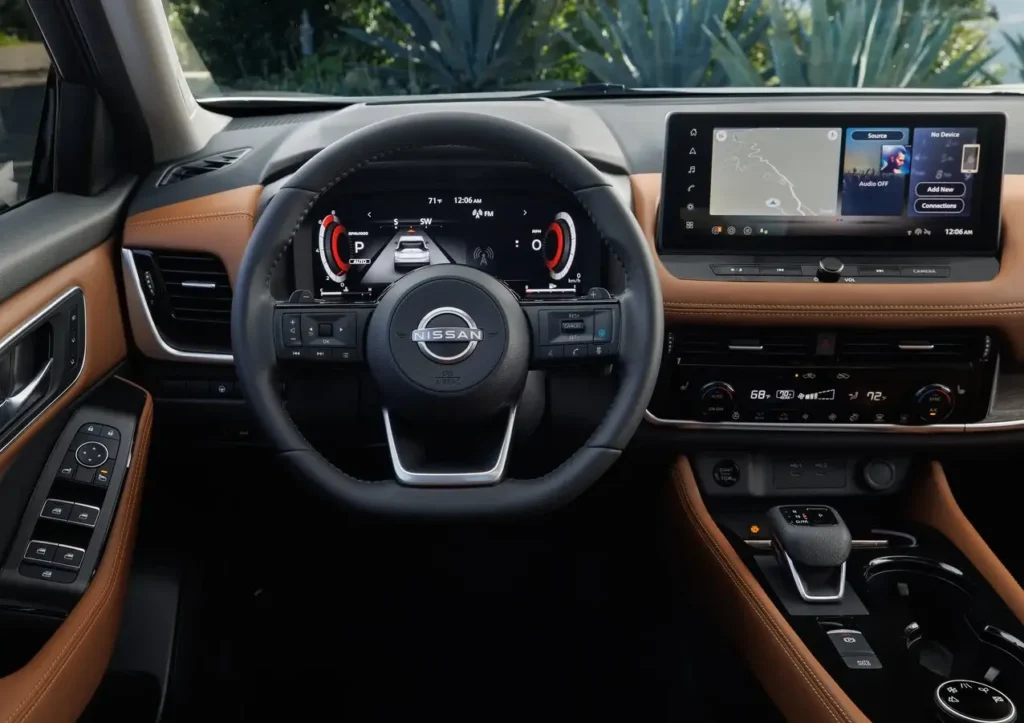
Apple CarPlay lets you bring key functions from your iPhone right onto your car’s multimedia screen. Since 2015, Apple has built this feature into many vehicles to make driving more connected and convenient.
Once your iPhone is hooked up to CarPlay, you can use it hands-free for:
- Phone calls
- Maps
- Messages
- Music
- Podcasts
- Audiobooks
- Calendar
Third-party apps are supported, too. For example, you can stream music through Spotify directly from your dashboard, no need to touch your phone.
Originally, CarPlay required a cable. You had to plug your iPhone into the car using a Lightning-to-USB cable. But thanks to tech upgrades, many cars now offer wireless Apple CarPlay, so you can connect without any cords.
Wireless CarPlay is a game-changer. It cuts down on distractions, keeps your interior tidy, and makes everything more convenient.
No more fumbling with cables just to use navigation or stream your favorite playlist. With wireless CarPlay, everything’s ready the moment you start the car.
If you’re like me and love a clean interior without messy cords, wireless Apple CarPlay is a must-have.
When Did Wireless CarPlay Come to the Rogue?
Wireless Apple CarPlay became standard on the Nissan Rogue starting with the 2021 model year—but only on the two highest trims. I’ll show you which ones in just a bit.
Before 2021, the Rogue already offered Apple CarPlay, but only with a wired connection. Starting in 2018, it became standard across most trims. It wasn’t until 2021 that wireless CarPlay was introduced, depending on the trim level.
If your Rogue is older than 2018, Apple CarPlay wasn’t available from the factory. But don’t worry—there are aftermarket options that can add both wired and wireless CarPlay to your vehicle. I’ll cover those shortly.
Which Rogue Trims Have Wireless CarPlay?
As mentioned earlier, wireless Apple CarPlay is available on the Nissan Rogue starting with the 2021 model year.
For the 2026 model year, wireless CarPlay is standard on the Platinum trim. If you are looking at 2021-2025 models, it was available on both SL and Platinum trims.
Already own a Rogue without wireless CarPlay? No problem. You can still upgrade your setup for a more convenient experience.
How to Upgrade to Wireless CarPlay
If your Rogue didn’t come with wireless Apple CarPlay, you’ve still got options.
For 2018–2026 Rogue models (Platinum), Apple CarPlay is built-in—but it’s wired. To make it wireless, you can use a plug-and-play adapter that adds wireless capability without changing your factory setup.
If your Rogue is older than 2018, it doesn’t have CarPlay at all. In that case, you’ll need to upgrade the stereo system to get the feature.
Let’s break it down:
2018 or Newer Nissan Rogue
These models come with wired Apple CarPlay. To go wireless, just add an adapter.
Benefits of using an adapter:
- No need to plug in your iPhone
- Your phone can stay in your pocket or bag
- No more plugging and unplugging every time you drive
Things to keep in mind:
- There might be a slight delay when connecting
- Performance depends on the adapter’s quality—choose a trusted brand
- You’ll need to spend a bit to buy the adapter
2007 – 2017 Nissan Rogue
If you drive a Rogue from 2017 or earlier, things are a bit trickier. These models don’t have Apple CarPlay at all, so you’ll need a full stereo upgrade.
Installing an aftermarket stereo with built-in wireless CarPlay is the way to go.
The upside? You’ll get access to newer tech and features. The downside? It’s more expensive than using an adapter.
Before upgrading, make sure the new stereo is compatible with your Rogue’s model and year.
How to Use Wireless Apple CarPlay
Here’s a step-by-step guide to connecting Apple CarPlay wirelessly in your Nissan Rogue:
- Turn on Bluetooth on your iPhone (Settings > Bluetooth).
- Open Bluetooth settings on your car’s infotainment screen and select “Add New Device.”
- Please select your car when it appears on your iPhone’s Bluetooth list.
- Confirm the pairing code shown on both screens.
- Tap Pair on your iPhone and allow CarPlay access.
- Tap Yes on your car’s screen to start using Apple CarPlay.
Once paired, your iPhone will automatically connect to CarPlay whenever your car is on and your phone’s Bluetooth and Wi-Fi are enabled.
Final Thoughts: Boost Your Rogue’s Connectivity
Wireless Apple CarPlay is a feature worth having. It brings the best parts of your iPhone to your dashboard—navigation, music, messages, and more—all without touching your phone.
To get it in a Nissan Rogue, go for the SL or Platinum trim.
Already driving a Rogue without wireless CarPlay? You can upgrade with an adapter.
Got an older Rogue with no CarPlay at all? A stereo upgrade will get you there—just make sure it’s compatible.
At the end of the day, Apple CarPlay makes driving safer and smarter. And let’s be honest—using your phone while driving just isn’t worth it.
Got questions or want to share your experience with wireless CarPlay in your Rogue? Drop a comment below—I’d love to hear from you.

Tristan has been deep in the automotive world since 2014, long before NissanRogueInfo.com started. His interest in the Rogue actually goes back to high school when he saw a first-gen model modified for off-roading—a moment that stuck with him ever since.
With a Bachelor of Technology and over a decade of professional car journalism under his belt, Tristan doesn’t just write about specs; he’s usually the one under the hood of his own Nissan Rogue or Honda CR-V, figuring out DIY fixes and maintenance tricks. He built this site to share that hands-on experience with other SUV owners who want practical, no-nonsense advice.
2 Comments